Internal linking is the practice of connecting the pages of your own website with links so that visitors and search engines can easily find what matters. Internal links help Google discover new pages, understand what they are about and how they relate, and recognise which pages you consider most important. It is one of the few SEO tasks that costs nothing and is entirely under your control.
In short:
- Every page you care about should have a link from at least one other page on your site. That is how Google itself puts it.
- Links within the body text carry the most context. Menus and footers are the basics, but they are not enough.
- Write descriptive, concise anchor text, not “click here”.
- Links must be standard HTML links (an a element with an href attribute), otherwise crawlers may miss them.
- Once a quarter, check for orphan pages, broken links and links pointing to redirects.
What internal linking is and why it matters
An internal link points from one page of your website to another page on the same site. Links from other websites to yours are backlinks, and we cover how to earn them in our guide to link building. Internal linking affects SEO in three ways:
- Discovery. Googlebot moves through a site by following links. A page nothing links to can only be found through the XML sitemap, or not at all, and even then it carries less weight.
- Understanding the topic. The anchor text and the sentence around it tell search engines what the target page is about. Google says so explicitly in its documentation: it uses links as a signal when determining the relevance of pages.
- Site priorities. Pages that receive more links from within your site are perceived as more important. If only the menu links to your service page while twenty articles link to a minor news post, you are sending the opposite signal to the one you want.
For visitors, good internal linking means a shorter path to the answer and to an enquiry. Someone reading an article about prices is one click away from the service page instead of heading back to the search results.
Types of internal links
| Link type | Where | Purpose | Watch out for |
|---|---|---|---|
| Main menu | every page | main services and categories | only the key items, not dozens |
| Footer | every page | contact, legal pages, main services | no keyword-stuffed lists of links |
| Breadcrumbs | above the heading | show the path in the site hierarchy | add BreadcrumbList structured data |
| In-text links | within the content | carry the most context about the target | descriptive text, placed where the need arises |
| Related articles | below an article | readers find more content, older posts stay visible | choose by topic, not at random |
| Categories and tags | content listings | group content by topic | no empty tags with a single post |
Menus, footers and breadcrumbs repeat across the site and provide basic access to pages. The difference in results usually comes from in-text links, because only they explain why the target page relates to what the reader is reading. You can also describe breadcrumbs to search engines with structured data.
How to build internal links step by step
- 1Map your pages and keywords. List your important pages and assign each one the topics it should rank for. This starts with keyword research: one topic belongs to one page, and links on that topic point to it. That way your own pages do not compete for the same query.
- 2Pick your priority pages. On a business website these are usually service pages; on an online shop, categories and best-selling products. They should receive the most links.
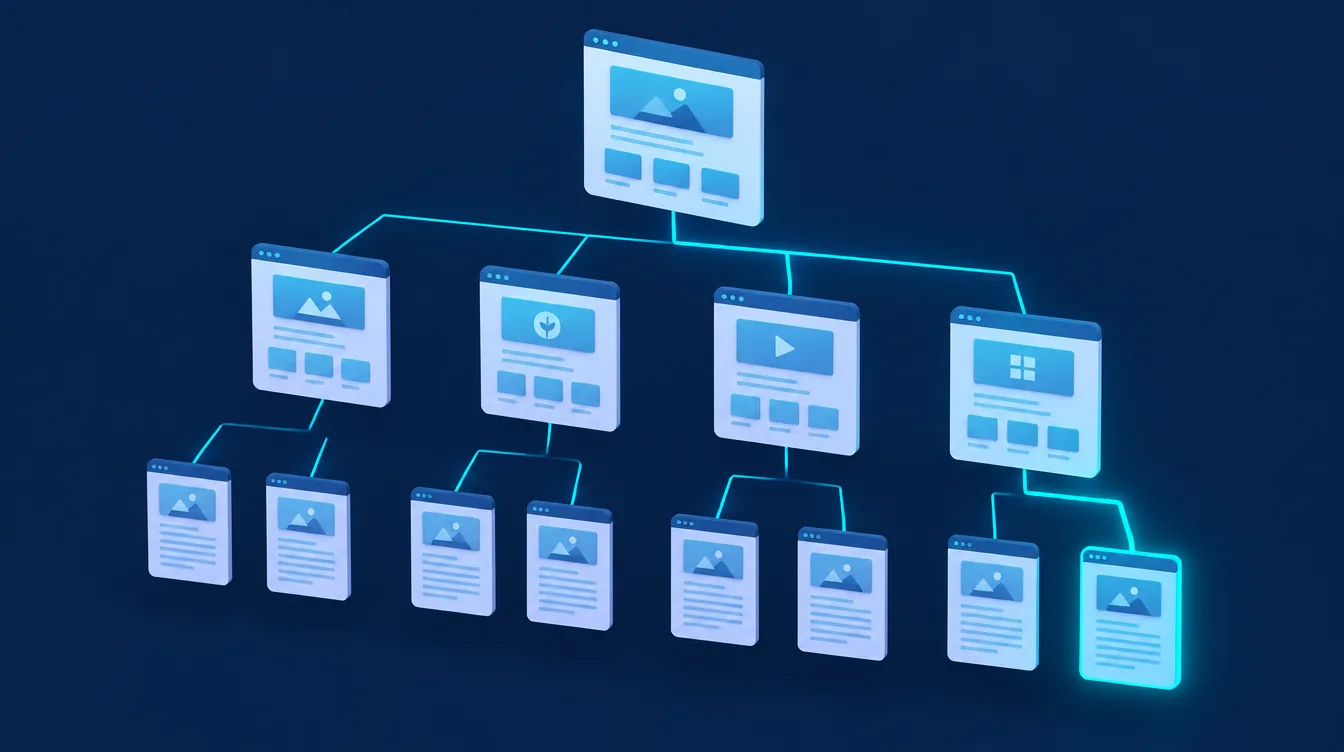
- 3Group content into topics. Build a cluster of articles around each priority page (a topic cluster). The articles link to the main page of the topic, which in turn links to the most important articles. Related articles link to each other as well.
- 4Add links to the body text. A link belongs in the sentence where the topic of the target page comes up naturally. One link from an article to the same target page is enough.
- 5Link new content from old content. After publishing a new article, find two or three older pages that already discuss the topic and add a link. Without that, the new article only reaches crawlers and readers through the blog listing.
- 6Watch click depth. A practical rule of thumb is that important pages should be no more than three clicks from the home page. Google does not set a fixed limit, but a page buried deep in the structure receives fewer links and is crawled less often.
- 7Check regularly. Websites change: pages are removed, URLs change, content grows. Review your internal links at least quarterly (see below).
Anchor text: how to write it
Anchor text is the visible, clickable text of a link. According to Google’s documentation, it should be descriptive, reasonably concise and relevant both to the page it sits on and to the page it links to. In practice:
- Describe the target. “heat pump price overview” instead of “here”, “more” or “this article”.
- Keep it short. A few words are enough, not a whole sentence.
- Do not cram in every keyword. Google warns that keyword stuffing in anchor text violates its spam policies. Ask whether the reader needs those words to understand where the link leads.
- Give the link context. The words before and after a link matter. Do not chain several links next to each other.
- Images as links. For an image used as a link, Google uses the alt attribute as the anchor text. Do not leave it empty.
For internal links, descriptive text containing the target page’s keyword is fine, just do not repeat the exact same wording mechanically. Our link building guide covers the types of anchor text in backlinks and internal links in more detail.
Technical rules: links Google can read
- Use an a element with an href attribute. Google reliably crawls only links written as an HTML a element with an href attribute. Links that rely solely on JavaScript (for example a span element with an onclick event) may be missed. On sites built with React or another JavaScript framework, check the rendered HTML, for instance with the URL Inspection tool in Google Search Console.
- Link to the final URL. An internal link should point directly to the canonical URL, not through a redirect. Fix or remove links to pages returning a 404 error.
- Do not mark internal links as nofollow. According to Google, nofollow is meant for links you do not trust, for paid links (alongside sponsored) and for user-generated links. If you do not want a page in search results, use a noindex tag rather than nofollow on links pointing to it.
- Do not rely on site search and filters alone. Crawlers cannot reach pages that are only accessible through a form or a search box. If pages are not getting indexed, follow the steps in our guide to Google indexing.
How to audit internal links and find orphan pages
An orphan page is a page with no internal links pointing to it. Typical examples are old landing pages, campaign pages or articles that dropped out of a listing. Two tools are enough for a check:
- Google Search Console, Links report. The table of top internally linked pages shows which pages receive the most internal links and, when you click a URL, where they come from. Check that your priority pages are at the top. The report shows only a sample of links and its tables are limited to 1,000 rows, so it is not a complete list.
- A crawler such as Screaming Frog SEO Spider. It crawls your site like a search engine bot and shows the number of internal links to each page, click depth, broken links and redirects. It finds orphan pages by comparing the crawl with your XML sitemap, Google Analytics or Search Console. The free version crawls up to 500 URLs, which is enough for a small business website.
You will find more audit tools in our overview of SEO tools. Checking links is also part of every website SEO audit.
Model example: a heat pump installer
The following example is fictional and only illustrates the process. A company installs heat pumps and has a service page plus eight blog articles (prices, grants, types of heat pumps, running costs). Starting point: only the menu links to the service page, the articles do not link to it or to each other, and two older articles are reachable only through the blog archive.
| Step | Change |
|---|---|
| Service page | links to 3 key articles: prices, grants, choosing a type |
| Each article | 1 in-text link to the service page where the reader thinks about installation |
| Prices article | links to the grants and running costs articles |
| Orphan articles | new link from 2 closely related articles |
| Footer | link to the service page instead of a generic “Services” |
The changes take an afternoon. Then track the result in Search Console: whether impressions of the service page and the number of queries it appears for are growing.
Common internal linking mistakes
- Links only in the menu and footer. The page gets no context from content, and articles pass nothing on to the pages that make money.
- Same anchor text for different pages. If “SEO” links to the service page in one place and to an article in another, search engines get no clear signal about which page owns the topic.
- Dozens of links in one paragraph. Links lose context and readers skip them.
- Automatic links on every keyword mention. Plugins that add a link every time a keyword appears create unnatural, repetitive links.
- Links to redirects and 404s. Internal links are forgotten after URLs change.
- New content without links. An article published only in the blog listing sinks deeper with every new post and gets crawled less.
Internal linking is only one part of on-page SEO. Without content that matches the query, it will not lift rankings on its own.
When to hand internal linking to a specialist
You can link a small website with a dozen pages yourself using the steps above. A specialist pays off for sites with hundreds of pages, online shops with filters and categories, after a redesign or migration when URLs change, and when your pages compete for the same keywords. At Weboptim we have completed 50+ projects and have 9+ years of experience. We design internal linking as part of our SEO services: based on keyword research we assign each topic to one page and adjust links in the content, navigation and new articles accordingly.
Frequently asked questions
What is internal linking?
How many internal links should a page have?
What is the difference between internal linking and link building?
Should internal links be nofollow?
How do I find pages with no internal links?
Sources

Written by
Peter GáboríkProject Manager – AI, Automation & SEO
Project manager and founder of Weboptim. Builds growth strategies around SEO, automation and AI; in online marketing since 2017.
Related service
Tips that save time – once a month
One e-mail a month: a new guide, the automation of the month and one number from practice. No spam.