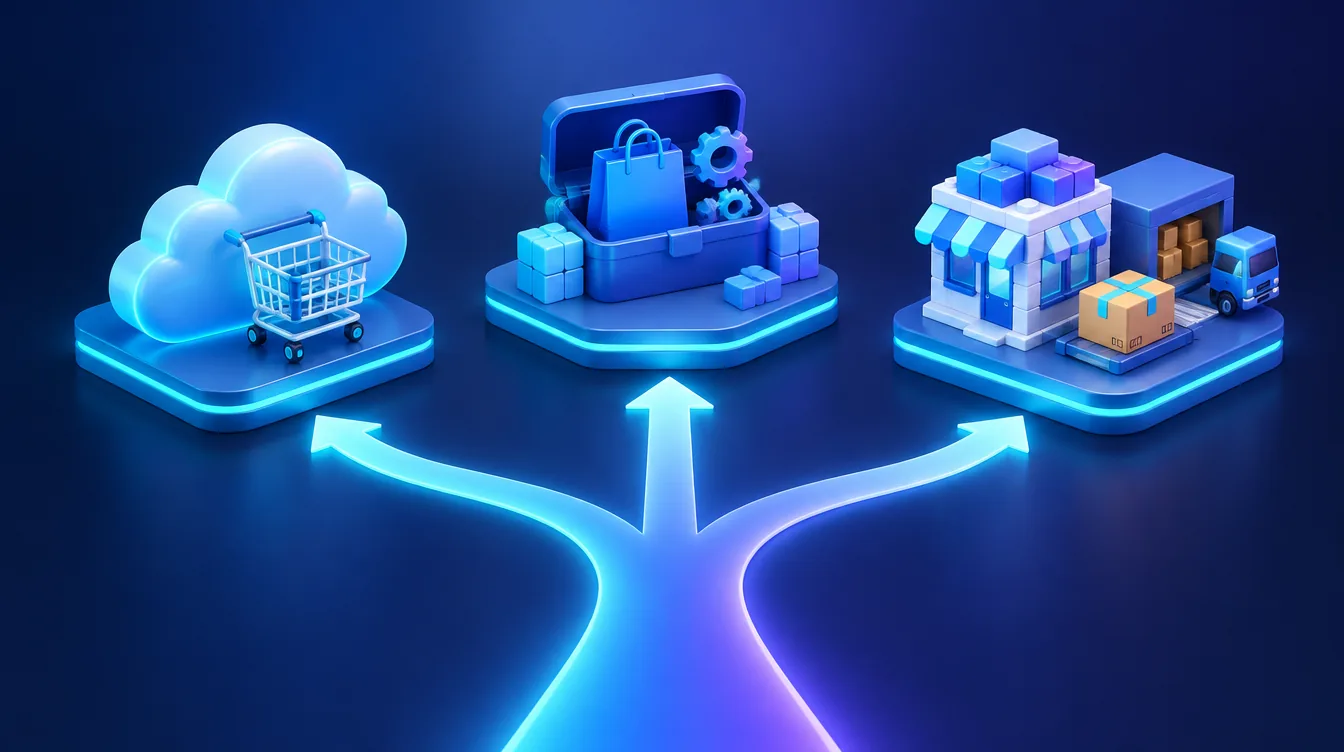
The best e-commerce solution is not a platform brand but the type of solution that fits your revenue, product range and processes. A hosted (SaaS) platform is the fastest and cheapest start for standard selling. An open-source system gives you more control at the cost of maintenance. A custom or headless build pays off only when the standard holds back growth.
In brief:
- There are three types of solutions: hosted (SaaS), open source (such as WooCommerce) and custom or headless.
- A new or smaller store with standard processes is best served by a hosted platform.
- Choose open source when you need customizations and full data control and have maintenance covered.
- Custom or headless makes sense with high revenue, complex integrations and specific logic.
- Before choosing, list your integrations (ERP, warehouse, carriers) – they most often make the decision for you.
Three types of e-commerce solutions
Dozens of systems form three groups. They differ in who owns the software, who looks after the servers and who pays for changes.
Hosted (SaaS) solution
You rent the store for a monthly or annual fee. The provider takes care of hosting, updates, security and basic integrations. You take care of products, orders and marketing. The best-known global example is Shopify. In Central Europe, Czech-developed SaaS platforms such as Shoptet and Upgates are widely used in the Czech and Slovak markets.
Open-source solution
You install open-source software on your own hosting. The core license is free, but you pay for development, extensions, hosting and maintenance. The most widespread option is WooCommerce – according to its makers, an open-source e-commerce platform built on WordPress. Other examples are PrestaShop and Magento Open Source.
Custom build and headless
A custom build follows your exact processes. A common model today is headless: the commerce logic (products, cart, orders) runs in one system and the storefront is a separate application that talks to it through an API. One example is Shopify Hydrogen, a toolkit for building your own frontend on top of Shopify data. In practice, it is closer to a web application than a website.
Decision table
The table compares types of solutions, not platforms. For a platform-by-platform comparison, see Shoptet vs. Upgates vs. WooCommerce.
| Criterion | Hosted (SaaS) | Open source | Custom / headless |
|---|---|---|---|
| Time to launch | days to weeks | weeks | months |
| Upfront costs | low | medium | high |
| Ongoing costs | plan subscription | hosting, maintenance, add-on licenses | dev team, infrastructure |
| Customization | within platform limits | almost unlimited | unlimited |
| Integrations (ERP, warehouse) | ready-made apps and API by plan | plugins and custom code | exactly as needed |
| Data and code ownership | you export data, code is not yours | you hold code and data | you hold code and data |
| Who handles security | provider | you or your admin | you or your vendor |
Six criteria to base your decision on
1. Revenue and business stage
While validating demand, every euro spent on development is a risk. A hosted platform lets you start quickly and cheaply. Once the store becomes your main sales channel, a solution you can adapt starts to pay off. The step-by-step process of starting from scratch is covered in how to start an online store.
2. Product range and product logic
Any solution handles hundreds of standard products with a few variants. Problems start with configurable products, individual B2B pricing, selling by the meter or kilogram, or rules a template does not know. If your offer cannot be described as “product – variant – price”, look towards open source or a custom build.
3. Integrations: ERP, warehouse, carriers
Companies underestimate this criterion most often. List every system your store has to talk to: accounting or ERP, warehouse system, carriers, payment gateway, price comparison sites, email marketing. On a hosted platform, check that each has a ready-made app and that your plan includes API access. With open source and custom builds, non-standard connections must be programmed. If you currently retype data between systems by hand, automation and system integration solves that.
4. Budget and total cost
Compare total costs over three to five years, not just the launch price. On a hosted platform, the subscription grows with higher plans and paid apps, and some platforms also charge transaction fees. With open source, you pay for development upfront and then for hosting, premium add-on licenses and regular maintenance. A custom build costs most upfront and needs a budget for further development. Always check plan prices in the provider’s current pricing.
5. Scaling and performance
Growth means new countries, currencies, warehouses and channels. Hosted platforms scale performance for you, but within limits set by the provider. An open-source solution scales as far as your hosting and code quality allow. A headless architecture separates the website from the commerce logic, so you can change the frontend or add channels without touching the core.
6. Data ownership and vendor lock-in
On a hosted platform, you own the data (products, customers, orders) but not the software. If the provider changes terms or prices, you adapt. With open source and a custom build, you hold the code and the database, and you can switch vendors. Before signing, find out in which format you can export your data and what happens to your URLs if you migrate – this decides whether you keep your search rankings.
When to choose which type
The following scenarios are illustrative, not our clients:
- A new pet supplies store with 200 products and standard carriers: a hosted platform. Quick launch, no custom development.
- A furniture maker with a size configurator and own warehouse system: an open-source solution (such as WooCommerce) connected to the warehouse, possibly with a custom-built configurator.
- A wholesaler with thousands of items, B2B price lists and an ERP as the single source of truth: a custom build or headless, where the ERP controls prices and stock and the store is just the sales layer.
For most business projects with a small to mid-sized product range, open source on WordPress is enough. We explain why in why WordPress is enough for 90% of clients.
Checklist before choosing an e-commerce solution
- What monthly revenue and number of orders do you expect in one year and in three years?
- How many products and variants will you have, and do they need non-standard logic (configurator, B2B pricing, made-to-measure)?
- Which systems does the store need to connect to (ERP, accounting, warehouse, carriers, payment gateway, comparison sites)?
- Is there a ready-made app or available API for each integration, and on which plan?
- What are the total costs over three to five years, including add-ons, fees and maintenance?
- Who will handle updates, backups and security?
- Do you plan to sell abroad (languages, currencies, taxes)?
- How will you export data and redirect URLs if you ever want to switch platforms?
If you answer “I don’t know” to more than two questions, do an analysis before choosing.
The most common mistakes when choosing
- Choosing by launch price. A cheap start can get expensive through add-ons or a costly migration later.
- Custom development too early. Building custom before validating demand ties up money that would bring more in marketing.
- Ignoring integrations. A store that does not talk to the warehouse means retyping orders by hand and stock errors.
When to bring in experts
You can launch a standard hosted store on your own. Bring in experts for an ERP or warehouse integration, non-standard product logic, a migration from another platform, or when you are unsure which type will pay off long term. At Weboptim, we have been building online stores for more than 9 years, we work with WooCommerce, Shoptet and Upgates, and we connect stores with other systems. See how our e-commerce website development works, or get in touch and we will go through the checklist for your business together.
Frequently asked questions
What is the best e-commerce solution for a new online store?
What is the difference between a hosted and an open-source online store?
What is headless commerce?
When is a custom-built online store worth it?
Can I move my online store to another platform later?
Sources

Written by
Peter GáboríkProject Manager – AI, Automation & SEO
Project manager and founder of Weboptim. Builds growth strategies around SEO, automation and AI; in online marketing since 2017.
Related service
Tips that save time – once a month
One e-mail a month: a new guide, the automation of the month and one number from practice. No spam.